现金抽屉
通过我们的功能轻松跟踪和管理现金流,使收银员可以在班次开始和结束时记录现金抽屉中的现金金额。
How it works销售、维修、库存、客户、资金和团队 — 一键找到所需工具。
销售与收银
通过我们的功能轻松跟踪和管理现金流,使收银员可以在班次开始和结束时记录现金抽屉中的现金金额。
How it works我们简化了添加配件的过程,例如 iPhone 钢化玻璃,并允许您将所有型号作为变体附加。
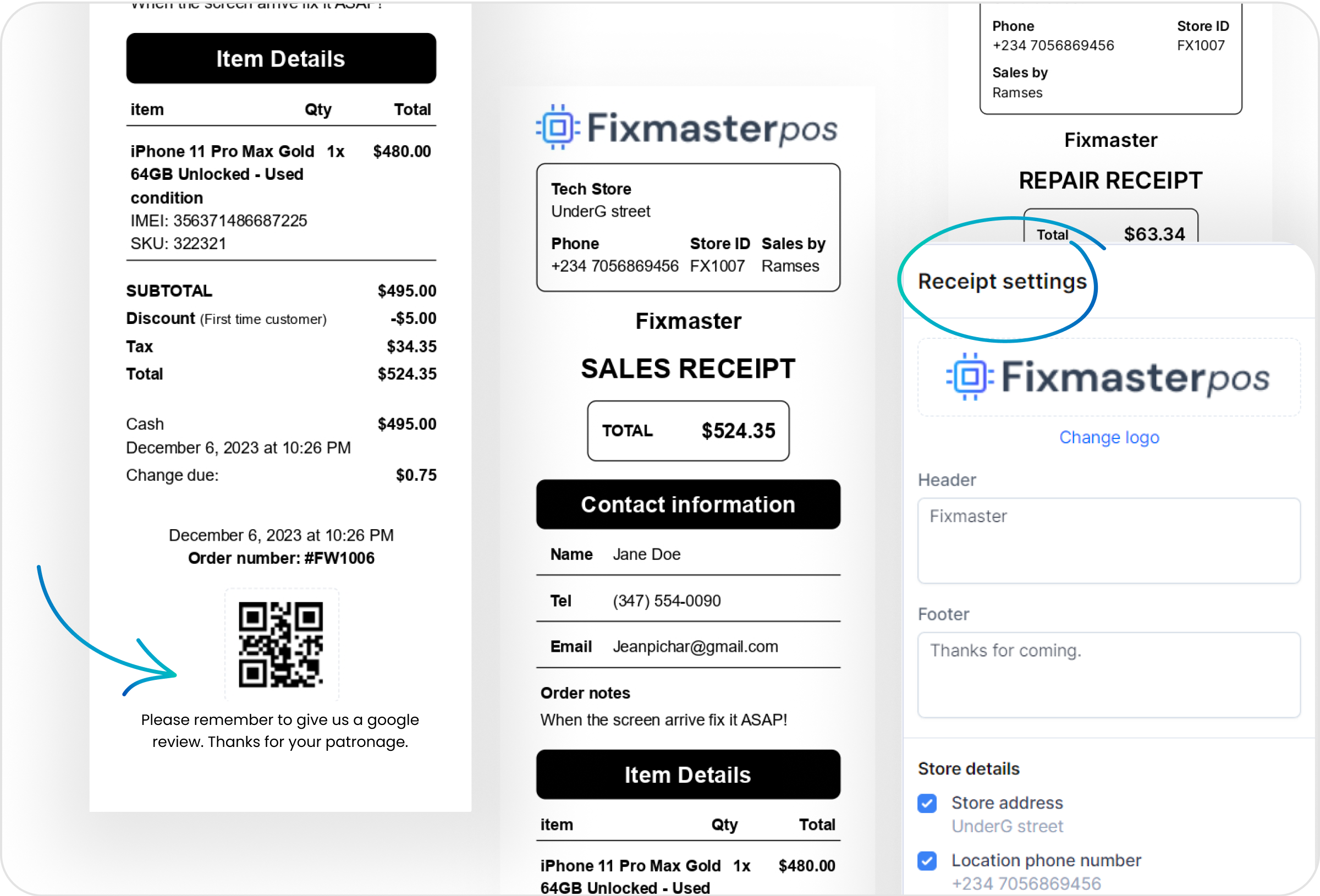
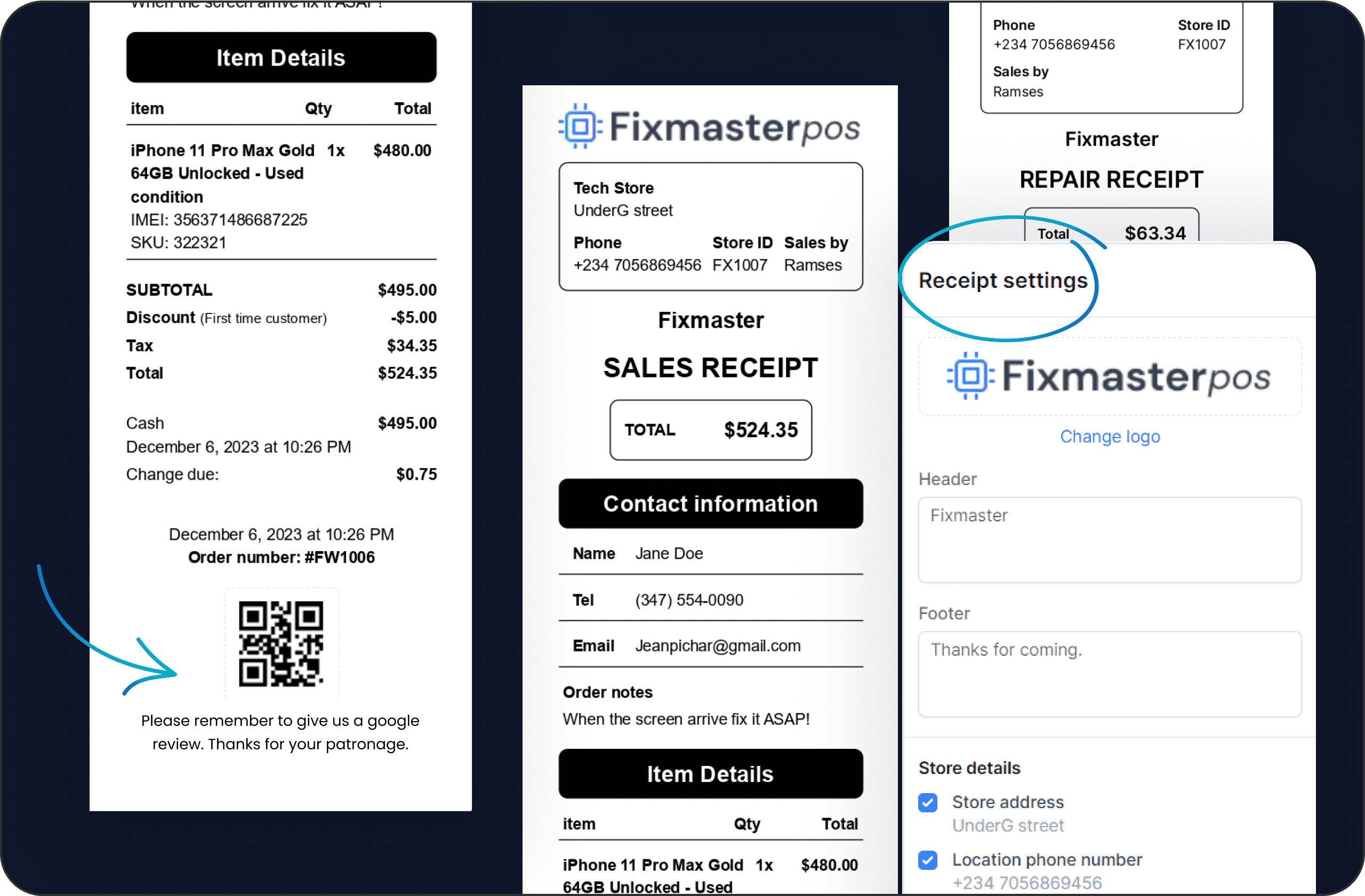
告别通用收据。 我们的系统允许您根据品牌的身份和特定需求定制每张收据,例如添加 Google 评论或网站作为 QR 码。
使用我们带有二维码的可定制收据,在几天内轻松收集数百条 Google 评价。通过 LunixPOS 无缝鼓励客户反馈,提升您的在线声誉。
将未完成的销售或维修单保存为草稿,而非强制结账。稍后重新打开、编辑商品、将草稿收据打印为报价单,然后点击「创建订单」将其移至订单列表,待客户准备好时收款。
Give every returned item a destination — back on the shelf, to the supplier, written off, or a decision you still owe — so the money and the stock move together. Faulty goods pile up per supplier in an open box you can close, send as a report, and apply the credit straight to a purchase order.
How it works按您的偏好设置小费方式:智能小费、百分比或固定金额,选择小费归属,并批量标记为已付。此外,通过邮件或短信分享您的推荐链接,当被邀请的业务升级时赚取账户积分。
在 Lunix POS 中直接设计并打印维修工单与商品的定制标签。添加设备详情、价格、条码及店铺品牌标识,让货架与工作台上的每件物品都清晰标注。
Take utility and service payments over the counter as a line of business of its own, with its own onboarding, wallet and reporting. Your customers pay their bills where they already come, and you earn on every transaction.
维修与服务
LunixPOS 包含所有主要手机品牌的全面维修问题列表,您可以直接从我们的数据库中选择。需要独特的问题?随时轻松添加自定义问题。
通过我们的功能自动通知客户维修状态更新,确保客户满意。
通过根据客户首选语言量身定制的维修通知,让客户随时了解情况并保持参与。这确保了清晰的沟通,提供了他们理解和重视的更新。在创建维修时设置语言,剩下的交给我们!
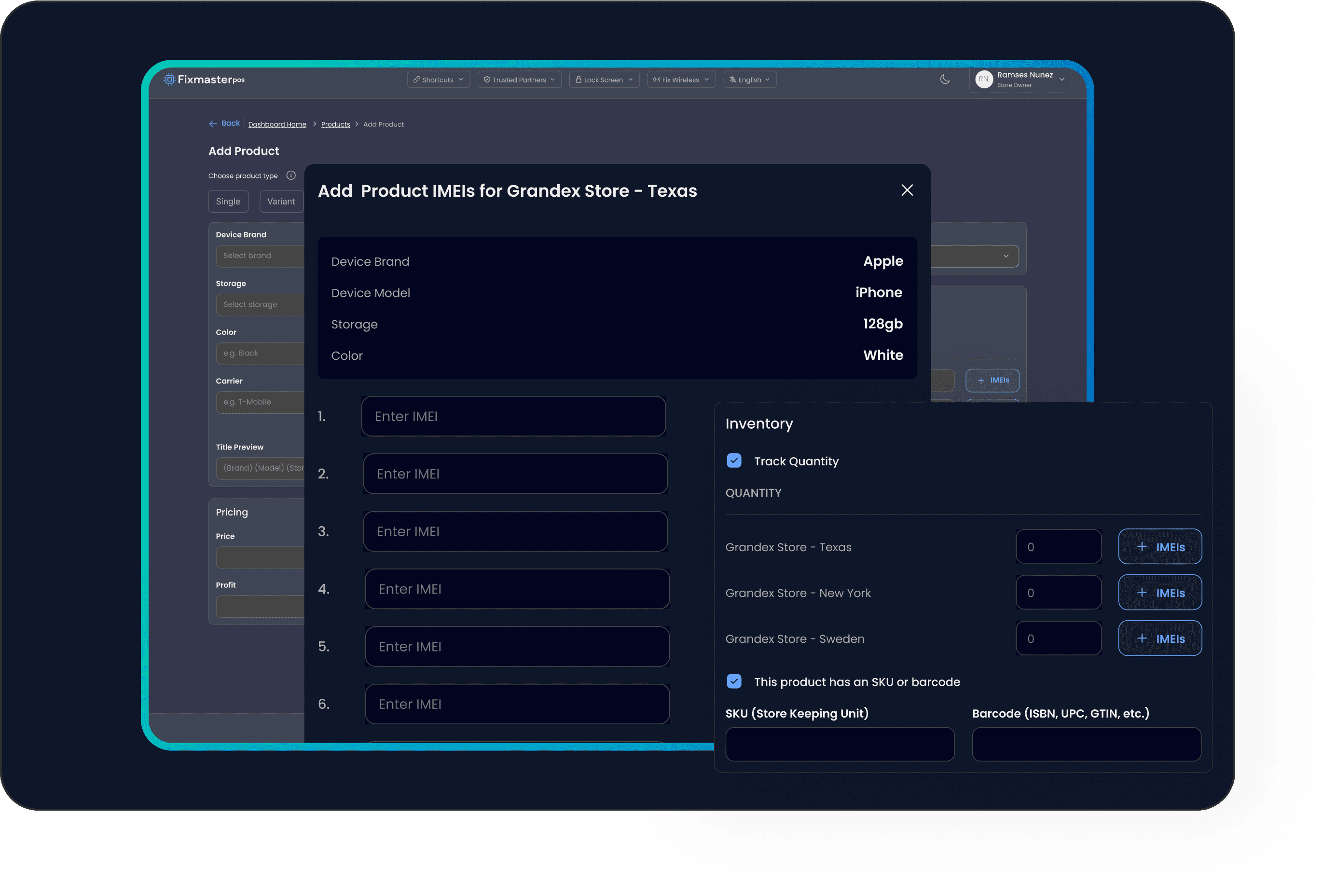
停止损失数千美元的丢失设备——是的,我们指的是那些! 使用 LunixPOS,跟踪每个电子设备。 将 IMEI 附加到库存数量。 例如,管理 #5 iPhone 11,每台都有不同的 IMEI。
通过每件商品自有的唯一序列号或IMEI进行追踪 — 完美适用于手机、笔记本、家电及其他高价值商品。按门店将序列号与库存绑定,从购物车中直接选取已售出的具体单元。
即使您不在,也可以将任务分配给技术人员、销售团队或经理。
维修与服务
停止损失数千美元的丢失设备——是的,我们指的是那些! 使用 LunixPOS,跟踪每个电子设备。 将 IMEI 附加到库存数量。 例如,管理 #5 iPhone 11,每台都有不同的 IMEI。
Start free trial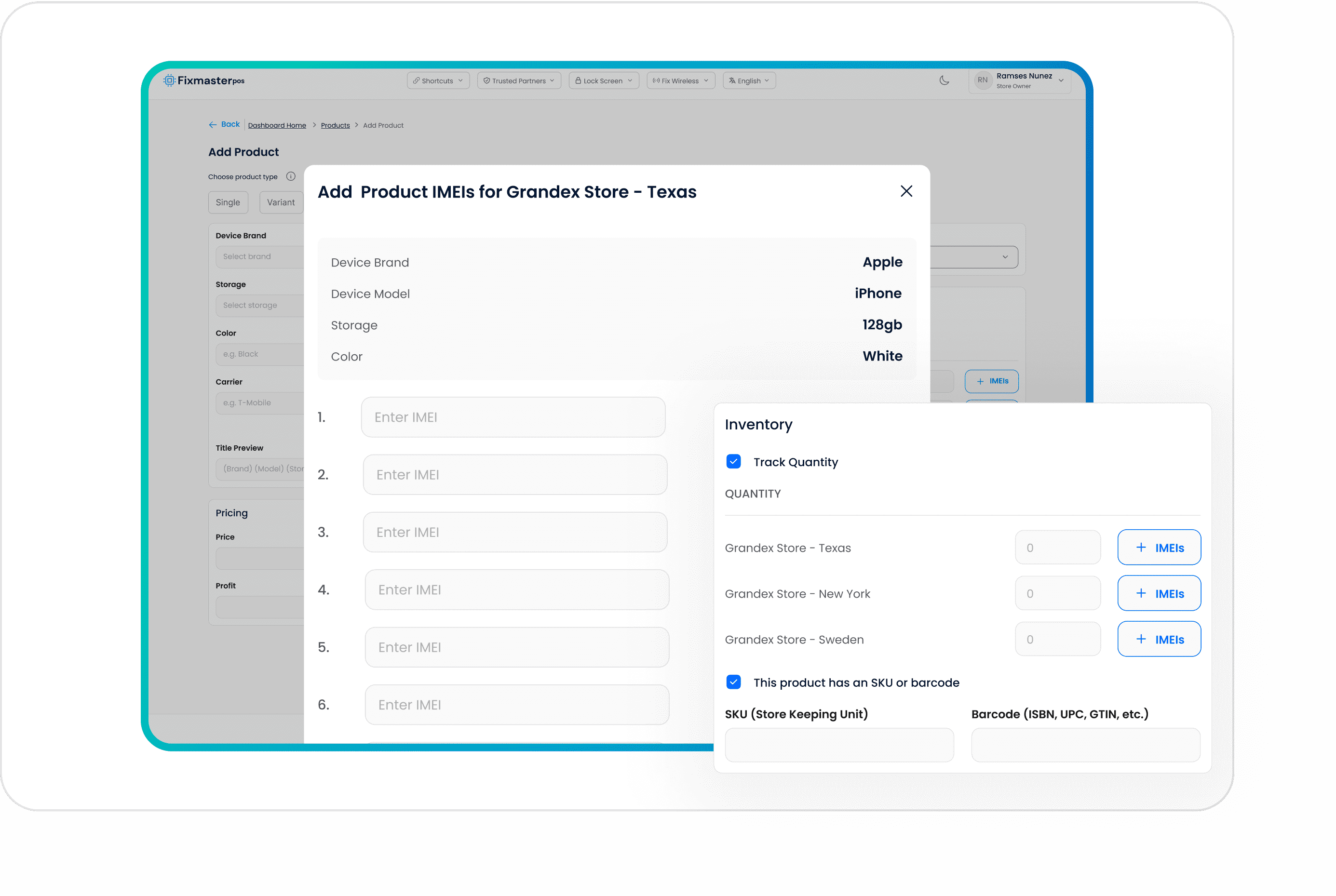
库存与商品
Raise a purchase order, receive it line by line — including partial deliveries — and let the cost travel with the product all the way to the vendor bill. Accounts Payable then answers what you owe each supplier and what is already overdue.
How it worksLunix works out what to reorder from your own sales history and lead times instead of from memory, and turns the suggestion into a purchase order. Items below their reorder point surface on their own rather than when a customer asks for something you do not have.
How it worksCount blind — you enter your number before the system shows you its own — and count what you choose: one location, one category, one vendor, or the whole shop. Review the variances, approve, and the adjustment is posted with a record of who counted what.
我们无缝的库存管理系统让您轻松跟踪和调整库存水平。通过完整的调整历史保持知情,确保您运营的完全透明和准确性。
Move stock from one location to another as a recorded movement, serialized units included, so the unit that left one shop is the same unit that arrived at the other and neither store's count has to be rebuilt by hand.
Print barcode and price labels for products, repairs and serialized units, one at a time or a whole batch at once, so what is on the shelf scans the way the system expects it to at the counter.
通过快速批量更新库存水平,节省时间并减少错误,只需点击几下即可确保准确的库存管理。
客户与CRM
Move the shop's WhatsApp off somebody's personal phone and onto the store's own number, where every conversation has an owner, a history and the customer's orders beside it — and quotes, receipts and payment links go out without leaving the chat.
How it works录入线索的联系方式、价值和来源,在「待联系」、「已验证」、「已成交」等自定义阶段间拖动。分配团队成员、按来源筛选,并实时汇总每个阶段的潜在收入。
How it worksBuild a form, publish it as a link or embed it on your site, and say for each question what it fills in on the lead. Answers land as a lead on the board and column you chose, with the source attached and obvious spam stopped before it gets there.
How it works创建任务或CRM看板,支持完全自定义阶段和颜色。添加带有负责人、优先级、截止日期和子任务的任务,通过评论和表情回应协作,让整个团队高效运转。
How it works为信任客户提供授信,随时掌握每一笔欠款。实时账龄分类(未到期至逾期91天以上),一屏完成付款记录及智能分配,支持Net 30等账期设置、对账单打印和CSV导出。
每位客户拥有您掌控的储值钱包。可添加、扣减或设置余额并填写原因,订单直接退款至储值账户,允许客户在结算时使用。每一次变动均记录在完整的交易历史中。
Pair a second screen so the customer watches the basket build itself, line by line, with photos and the running total. Configured per location, so a busy shop and a quiet one do not have to show the same thing.
财务与报表
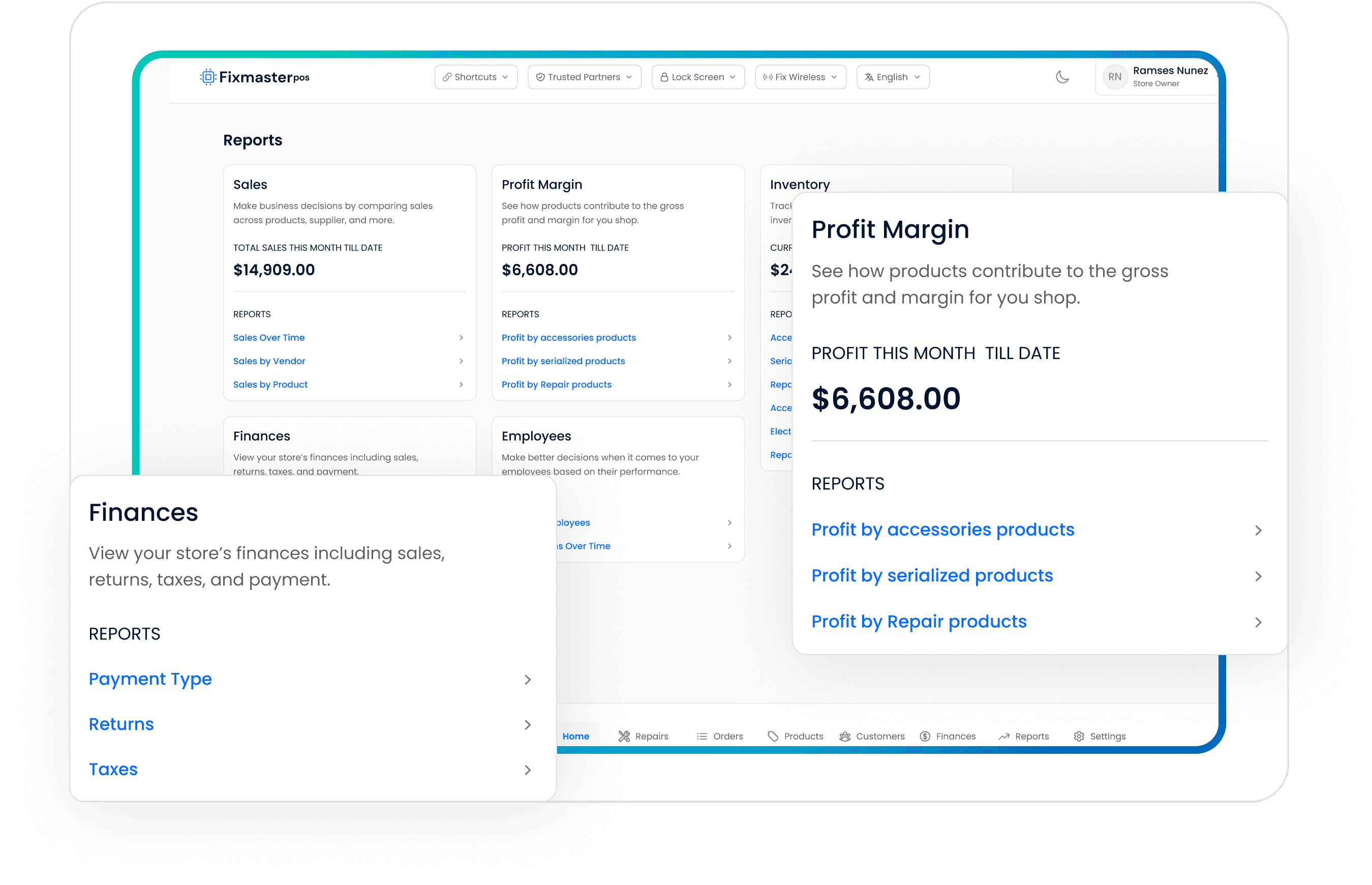
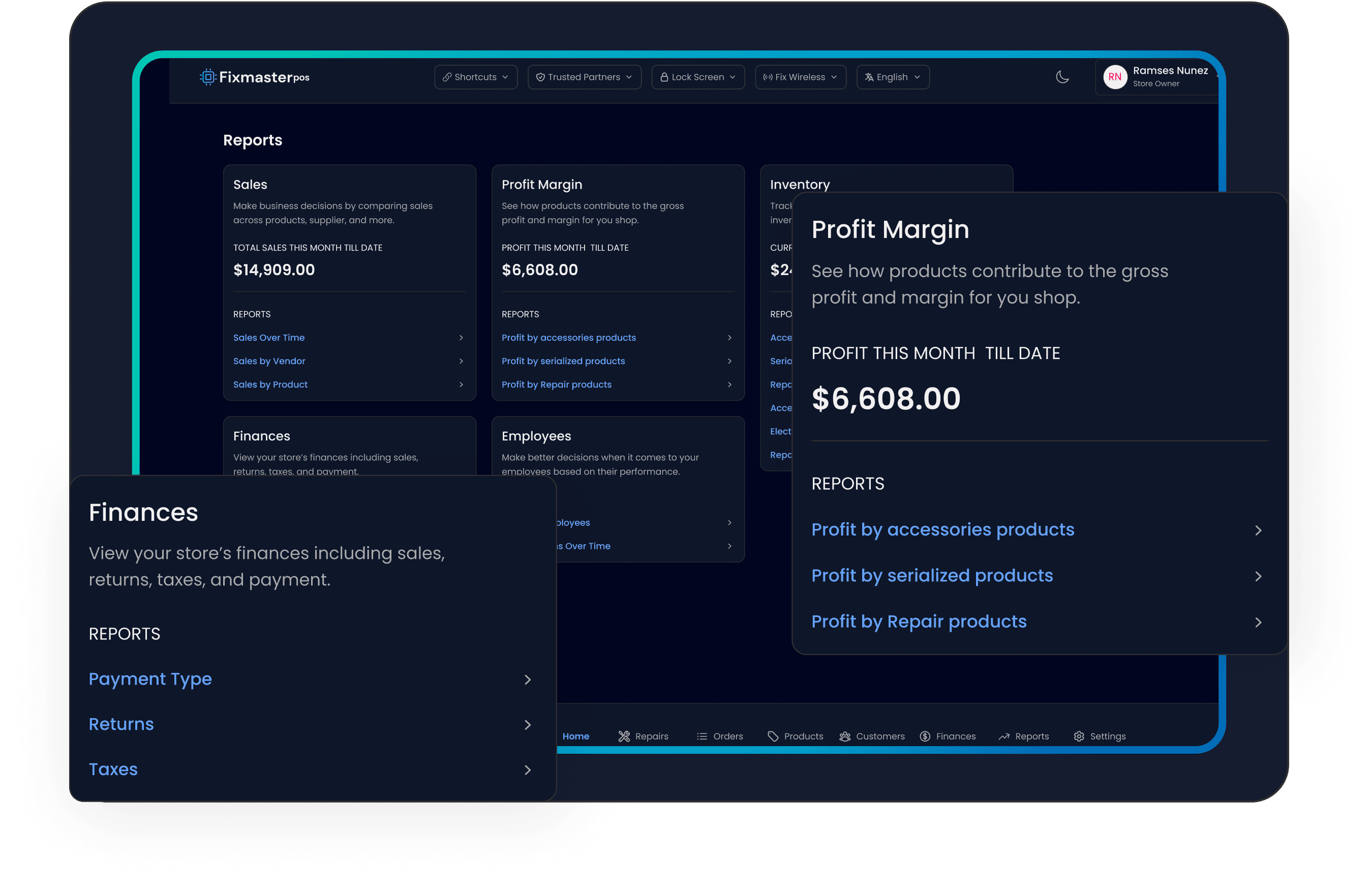
了解您的销售、利润和利润率,利用正确的数据做出正确的决定,了解哪些产品库存不足,查看员工的销售和佣金。
通过我们的详细报告掌握店铺的财务健康状况。 分析所有店铺位置的收入和利润,以做出明智的决定并推动业务发展。
通过内置商品成本报表追踪每款商品的毛利润和毛利率。按日期范围筛选,对比序列化设备、维修零件和配件,打印清晰摘要,一目了然地显示净销售额、成本和毛利率。
记录含金额、日期、分类、供应商和收据附件的支出。标记为已付、部分已付或未付,设置定期计划,实时统计数据按分类、付款账户及定期与一次性支出细分。
How it worksWrite the rule once — what it pays on, how much, who earns it, when it is paid — and Lunix runs it on every sale, including the part nobody else handles: a return takes the commission back. The payout run pays what is genuinely ready and says why the rest is not.
How it worksTake cards at the counter through a connected terminal, or send a payment link the customer opens on their phone. Either way the order is marked paid where the sale lives, rather than reconciled later from a separate app.
Push invoices, customers and payments to QuickBooks Online with your own account mapping, so the books reflect the shop without anyone retyping a day's sales at the end of the month.
团队与运营
我们无缝的库存管理系统让您轻松跟踪和调整库存水平。通过完整的调整历史保持信息透明,确保操作的全面透明度和准确性。
How it worksPut a tablet on the counter and let staff punch in and out with their own PIN — no logins, no shared account. Corrections add a line saying who changed what rather than overwriting the original punch.
How it worksBuild the week's schedule per person, set a regular pattern that repeats, and handle time-off requests in the same place — so «who is working Saturday» and «who asked for Friday off» are the same screen.
创建仅授予您所选权限的自定义角色,用PIN锁定屏幕,并通过完整的活动日志记录谁在何时何地做了什么——对每台收银机和每个门店实现完全问责。
How it worksRun more than one shop from one account, with stock, registers, customer displays and settings held per location, and the reports able to answer both per shop and across all of them.
通过帮助中心内简短易懂的演示视频快速掌握。无论您是探索新功能还是需要复习,这些快速指南都提供分步说明,帮助您充分利用我们的平台。
在我们的帮助下,您可以确保从现有 POS 软件到 LunixPOS 的数据迁移和同步无缝进行。