現金抽屜
通過我們的功能輕鬆跟踪和管理現金流,使收銀員可以在班次開始和結束時記錄現金抽屜中的現金金額。
How it worksSelling, repairs, stock, customers, money and your team — find the tools you need in one tap.
Sell & Checkout
通過我們的功能輕鬆跟踪和管理現金流,使收銀員可以在班次開始和結束時記錄現金抽屜中的現金金額。
How it works我們簡化了添加配件的過程,例如 iPhone 鋼化玻璃,並允許您將所有型號作為變體附加。
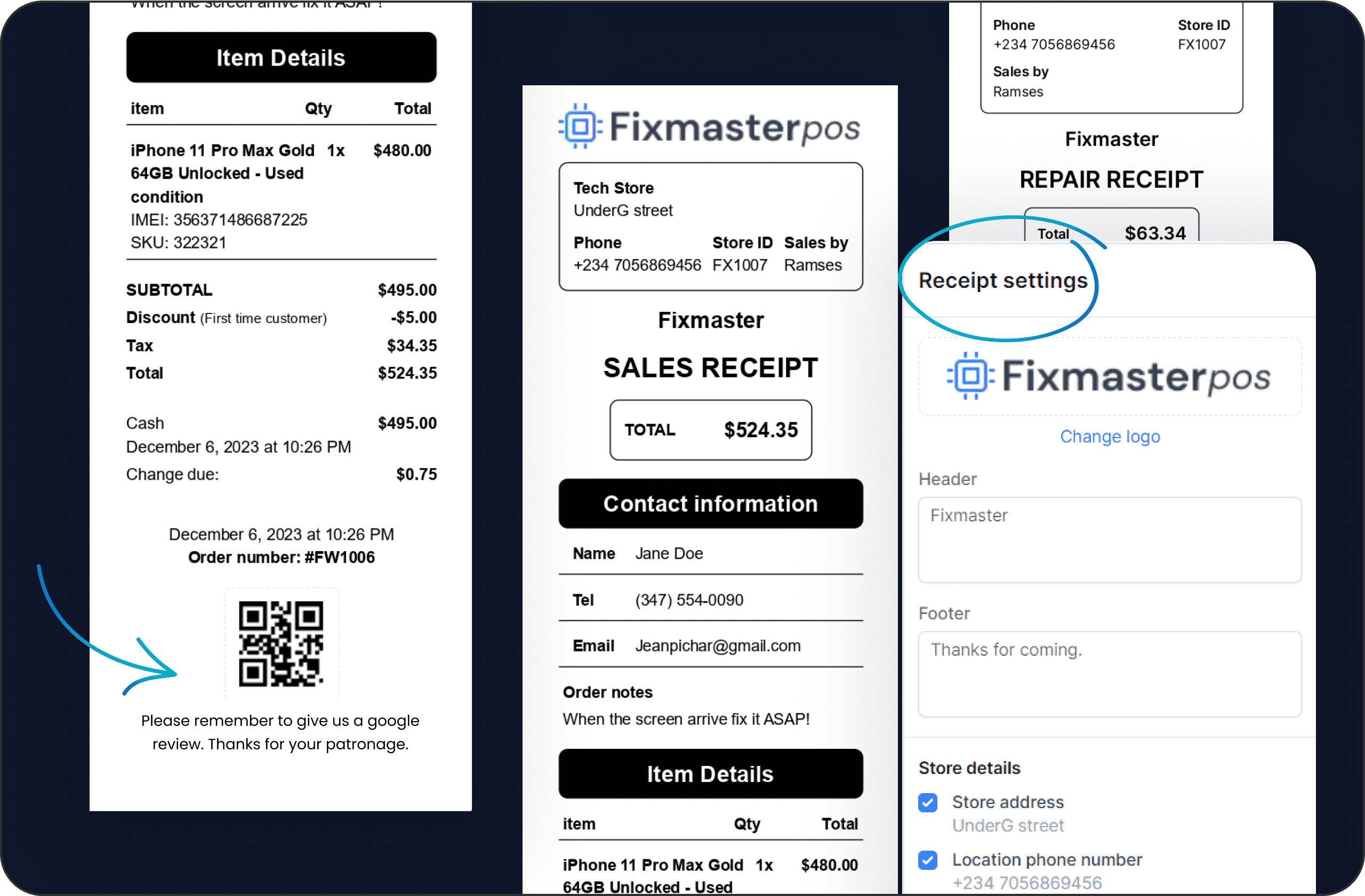
告別通用收據。 我們的系統允許您根據品牌的身份和特定需求定制每張收據,例如添加 Google 評論或網站作為 QR 碼。
透過我們可自訂的 QR 碼收據,在短短數天內輕鬆收集數百條 Google 評論。使用 LunixPOS 無縫鼓勵客戶回饋並提升您的網路聲譽。
Save an incomplete sale or repair as a draft instead of forcing a checkout. Reopen it later, edit items, print a draft receipt as a quote, then hit Create Order to move it to your Orders list and collect payment when the customer is ready.
Give every returned item a destination — back on the shelf, to the supplier, written off, or a decision you still owe — so the money and the stock move together. Faulty goods pile up per supplier in an open box you can close, send as a report, and apply the credit straight to a purchase order.
How it worksConfigure tipping the way you want with Smart tips, Percentage, or Fixed amount, choose where tips go, and mark them paid in bulk. Plus, share your referral link by email or SMS and earn account credit when invited businesses upgrade.
直接在 Lunix POS 設計並列印維修工單與商品的客製貼紙。加入裝置資訊、價格、條碼與你的店家品牌,讓貨架與工作台上的每件商品都清楚標示。
Take utility and service payments over the counter as a line of business of its own, with its own onboarding, wallet and reporting. Your customers pay their bills where they already come, and you earn on every transaction.
Sell & Checkout
告別通用收據。 我們的系統允許您根據品牌的身份和特定需求定制每張收據,例如添加 Google 評論或網站作為 QR 碼。
Start free trial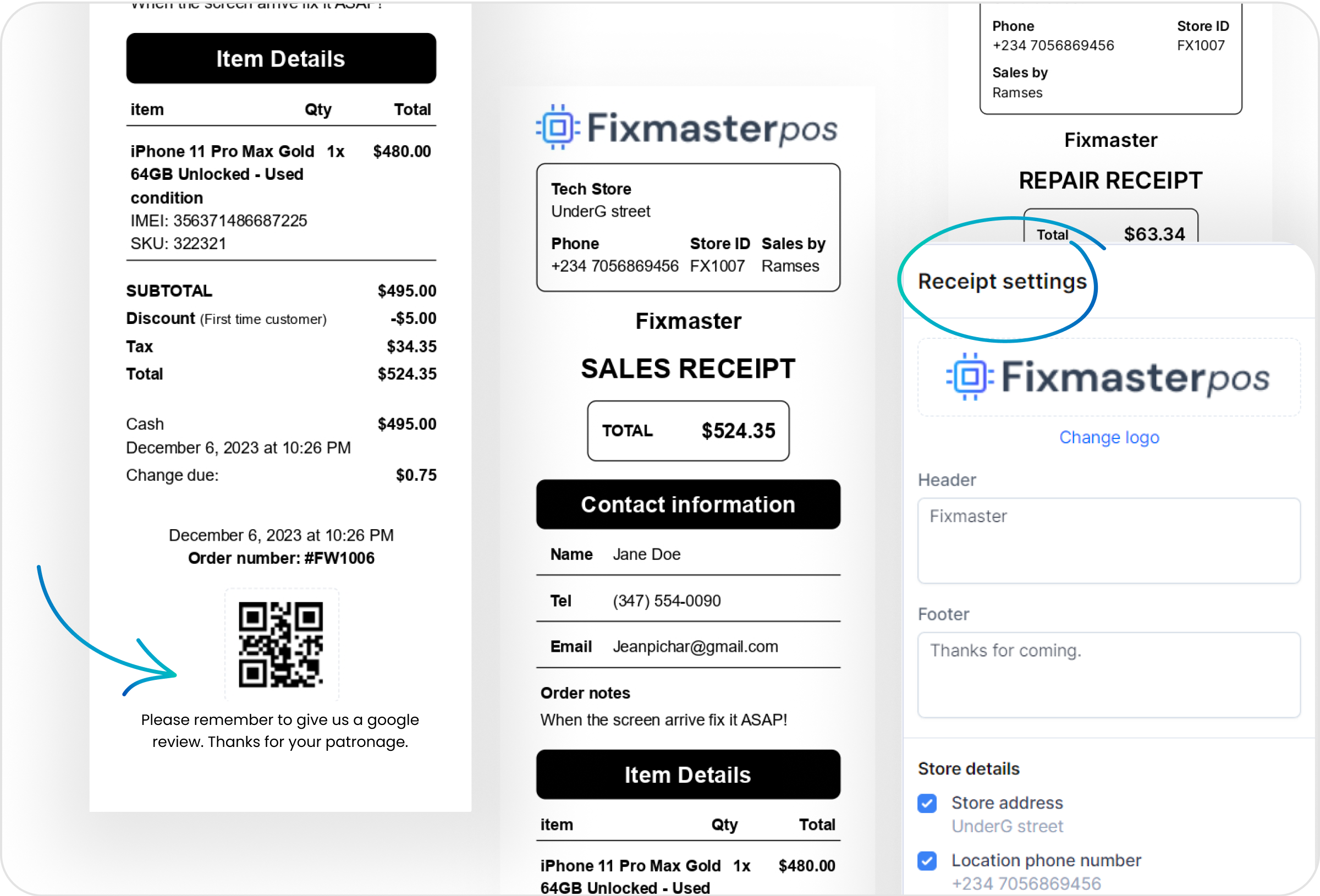
Repairs & Service
LunixPOS 內建所有主要手機品牌的綜合維修問題清單,您可以直接從我們的資料庫中選擇。需要獨特的項目嗎?隨時輕鬆新增自訂問題。
通過我們的功能自動通知客戶維修狀態更新,確保客戶滿意。
透過針對客戶偏好語言量身定制的維修通知,讓您的客戶隨時掌握最新資訊並保持參與。這確保了清晰的溝通,提供他們理解和欣賞的更新。在創建維修時設定語言,其餘的就交給我們處理!
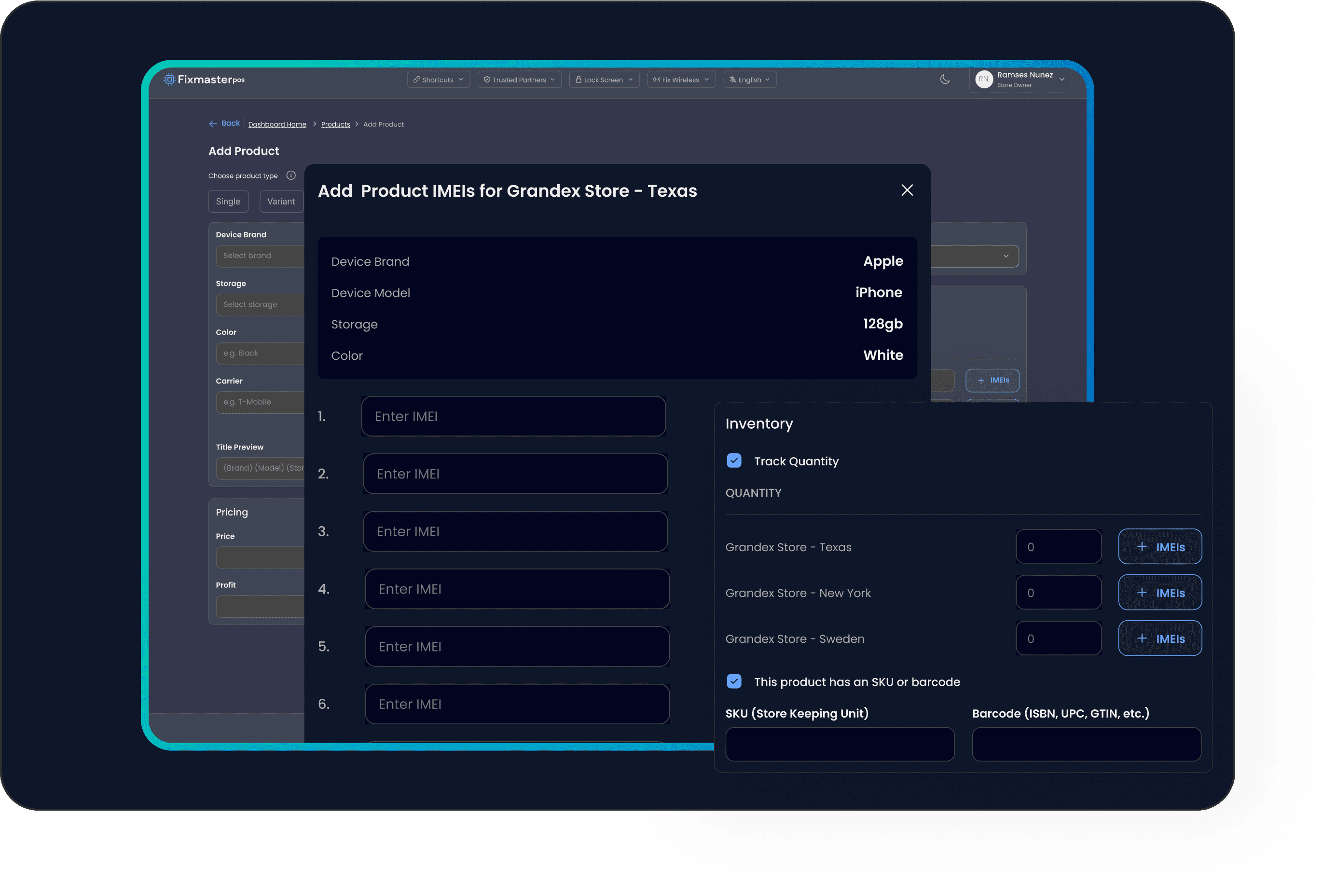
停止損失數千美元的丟失設備——是的,我們指的是那些! 使用 LunixPOS,跟踪每個電子設備。 將 IMEI 附加到庫存數量。 例如,管理 #5 iPhone 11,每台都有不同的 IMEI。
Track each individual unit by its own unique serial or IMEI—perfect for phones, laptops, appliances, and other high-value goods. Attach serials to stock by location, then pick the exact unit you sold right from the cart.
即使您不在,也可以將任務分配給技術人員、銷售團隊或經理。
Repairs & Service
停止損失數千美元的丟失設備——是的,我們指的是那些! 使用 LunixPOS,跟踪每個電子設備。 將 IMEI 附加到庫存數量。 例如,管理 #5 iPhone 11,每台都有不同的 IMEI。
Start free trial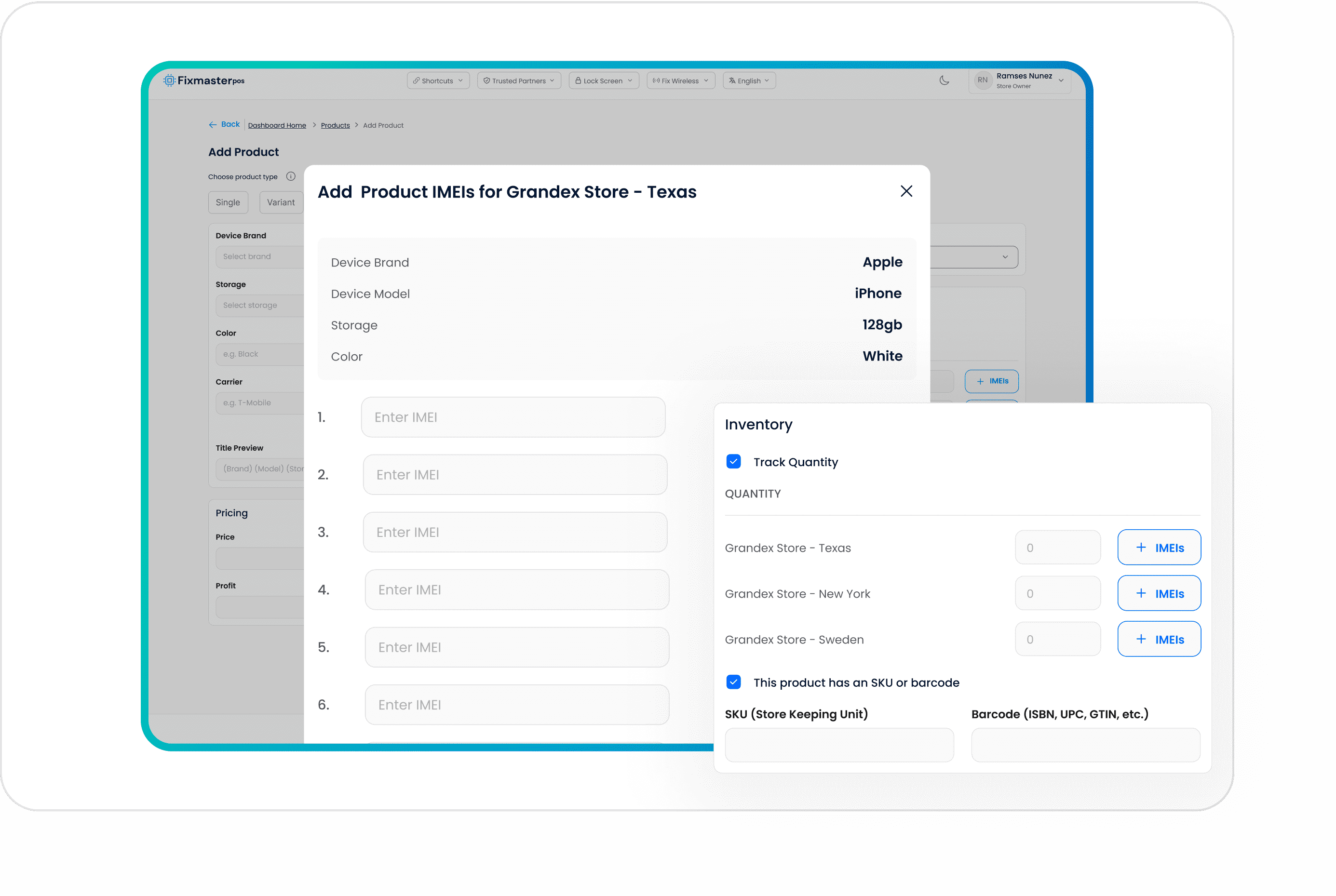
Inventory & Stock
Raise a purchase order, receive it line by line — including partial deliveries — and let the cost travel with the product all the way to the vendor bill. Accounts Payable then answers what you owe each supplier and what is already overdue.
How it worksLunix works out what to reorder from your own sales history and lead times instead of from memory, and turns the suggestion into a purchase order. Items below their reorder point surface on their own rather than when a customer asks for something you do not have.
How it worksCount blind — you enter your number before the system shows you its own — and count what you choose: one location, one category, one vendor, or the whole shop. Review the variances, approve, and the adjustment is posted with a record of who counted what.
我們流暢的庫存管理系統讓您輕鬆追蹤和調整庫存水平。透過完整的調整歷史記錄,確保您的營運完全透明和準確。
Move stock from one location to another as a recorded movement, serialized units included, so the unit that left one shop is the same unit that arrived at the other and neither store's count has to be rebuilt by hand.
Print barcode and price labels for products, repairs and serialized units, one at a time or a whole batch at once, so what is on the shelf scans the way the system expects it to at the counter.
透過批量快速更新庫存水平,節省時間並減少錯誤,只需點擊幾下即可確保準確的庫存管理。
Customers & CRM
Move the shop's WhatsApp off somebody's personal phone and onto the store's own number, where every conversation has an owner, a history and the customer's orders beside it — and quotes, receipts and payment links go out without leaving the chat.
How it worksCapture leads with contact details, value, and source, then drag them across custom stages like To Contact, Qualified, and Won. Assign teammates, filter by lead source, and watch each stage total your potential revenue.
How it worksBuild a form, publish it as a link or embed it on your site, and say for each question what it fills in on the lead. Answers land as a lead on the board and column you chose, with the source attached and obvious spam stopped before it gets there.
How it worksCreate Task or CRM boards with fully customizable stages and colors. Add tasks with assignees, priorities, due dates, and subtasks, then collaborate with comments and emoji reactions to keep your whole team moving.
How it worksGive trusted customers credit and keep tabs on every dollar owed. Live aging buckets (Not yet due through 91+ days), one-screen payment recording with smart allocation, payment terms like Net 30, statements, and CSV exports.
Each customer gets a Store Credit wallet you control. Add, deduct, or set a balance with a reason, refund orders straight back as credit, and let customers spend it at checkout. Every change is logged in a full transaction history.
Pair a second screen so the customer watches the basket build itself, line by line, with photos and the running total. Configured per location, so a busy shop and a quiet one do not have to show the same thing.
Money & Reporting
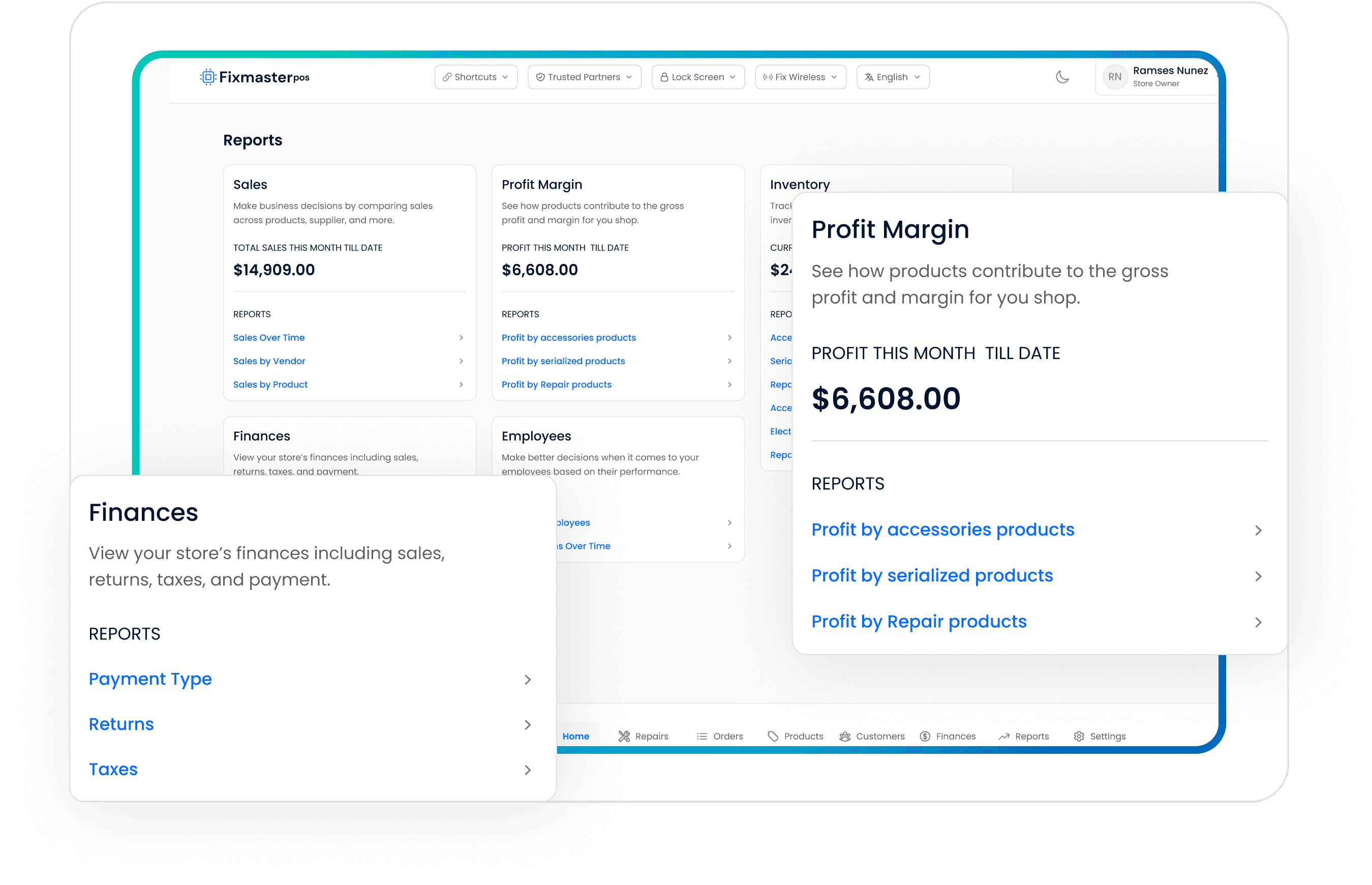
了解您的銷售、利潤和利潤率,利用正確的數據做出正確的決定,了解哪些產品庫存不足,查看員工的銷售和佣金。
通過我們的詳細報告掌握店鋪的財務健康狀況。 分析所有店鋪位置的收入和利潤,以做出明智的決定並推動業務發展。
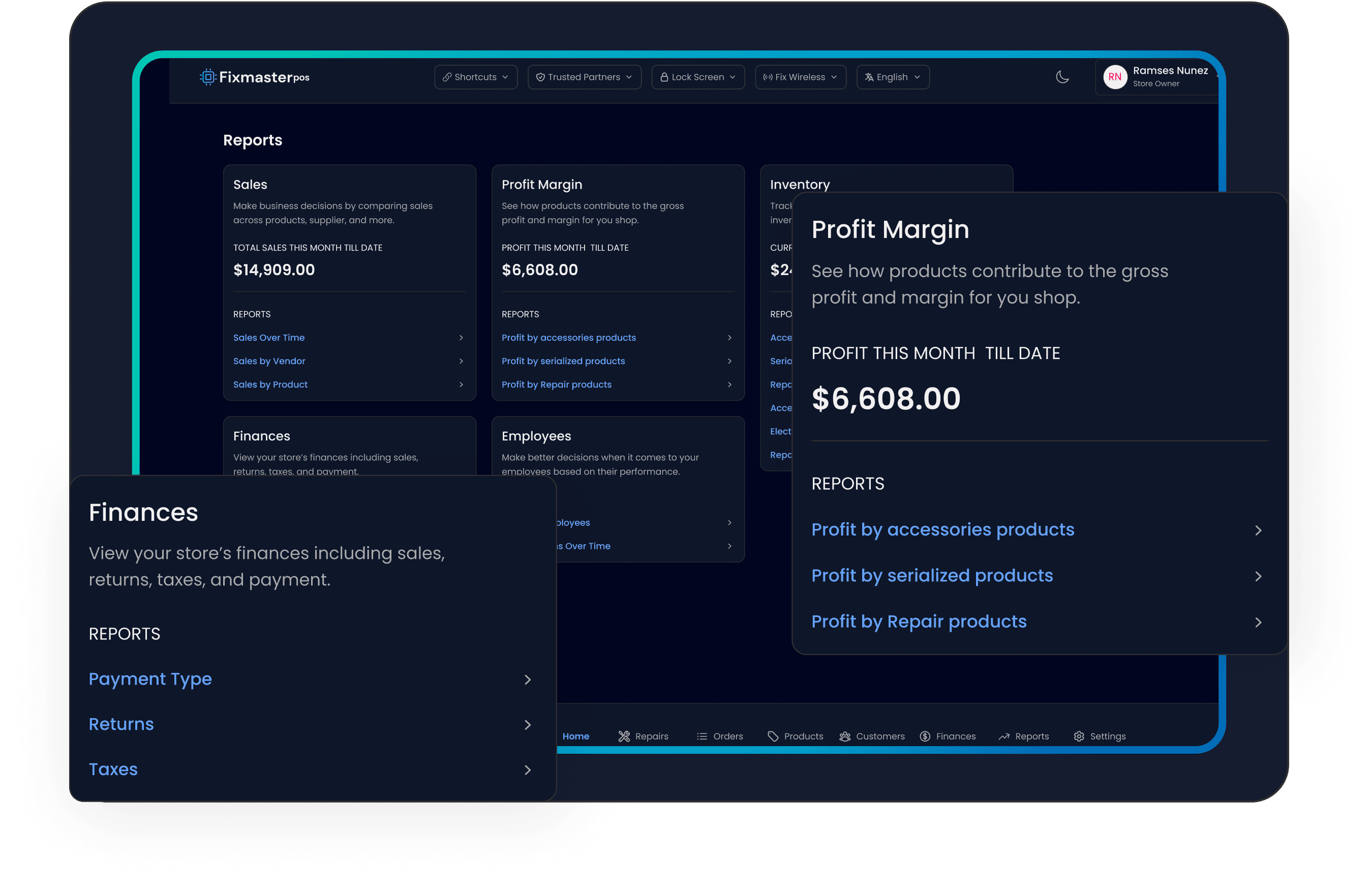
Track gross profit and margin on every product with built-in cost of goods reporting. Filter by date range, compare serialized devices, repair parts and accessories, and print a clean summary that shows net sales, cost and margin % at a glance.
Record expenses with amount, date, category, vendor, and a receipt attachment. Mark them Paid, Partially Paid, or Unpaid, set recurring schedules, and watch live stats break down spend by category, payment account, and recurring vs. one-time.
How it worksWrite the rule once — what it pays on, how much, who earns it, when it is paid — and Lunix runs it on every sale, including the part nobody else handles: a return takes the commission back. The payout run pays what is genuinely ready and says why the rest is not.
How it worksTake cards at the counter through a connected terminal, or send a payment link the customer opens on their phone. Either way the order is marked paid where the sale lives, rather than reconciled later from a separate app.
Push invoices, customers and payments to QuickBooks Online with your own account mapping, so the books reflect the shop without anyone retyping a day's sales at the end of the month.
Team & Operations
我們無縫的庫存管理系統讓您輕鬆追踪和調整庫存水平。通過完整的調整歷史保持信息透明,確保操作的全面透明度和準確性。
How it worksPut a tablet on the counter and let staff punch in and out with their own PIN — no logins, no shared account. Corrections add a line saying who changed what rather than overwriting the original punch.
How it worksBuild the week's schedule per person, set a regular pattern that repeats, and handle time-off requests in the same place — so «who is working Saturday» and «who asked for Friday off» are the same screen.
Build custom roles that grant only the permissions you choose, lock the screen with a PIN, and let a full activity log capture who did what, when, and from where—total accountability across every register and location.
How it worksRun more than one shop from one account, with stock, registers, customer displays and settings held per location, and the reports able to answer both per shop and across all of them.
在說明中心透過簡短、易懂的示範影片快速上手。無論您是探索新功能還是需要複習,這些快速指南都提供逐步說明,幫助您充分利用我們的平台。
在我們的幫助下,您可以確保從現有 POS 軟件到 LunixPOS 的數據遷移和同步無縫進行。